How to Enable Scroll-to-Top in a React App: A Beginner's Guide

Welcome to Learn with Sasere. I’m a software developer with over two years of hands-on experience building real-world applications. I use this space to break down concepts clearly, share practical lessons from my work, and document what I’m learning along the way. My focus is on helping developers understand why things work, not just how to use them.
One common issue that many React developers, especially newbies, face is the inability for the app to scroll to the top on each page change. In this blog, I'll show you how to easily implement this functionality in your React application.
Step 1: Understand Scroll Restoration
React Router provides a guide on Scroll Restoration which you can find here. This guide offers in-depth information if you wish to learn more about the topic.
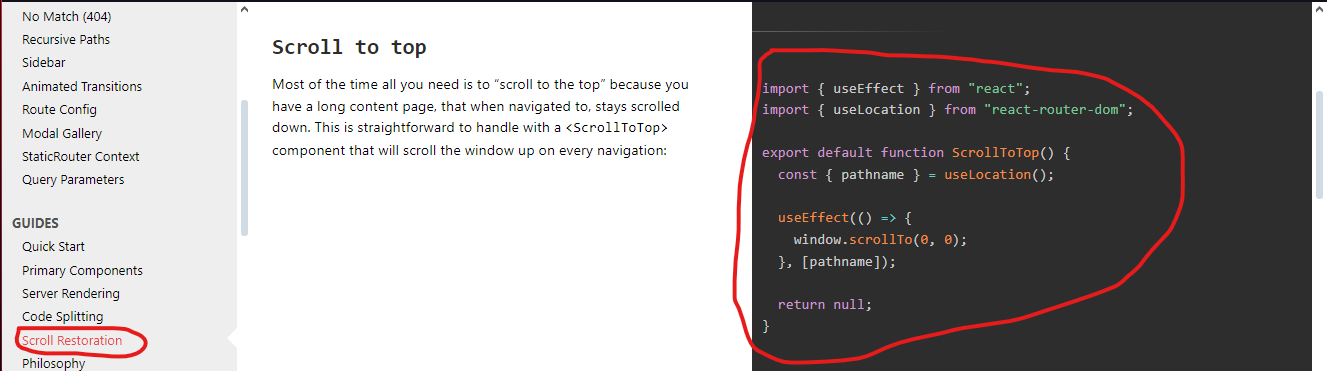
Step 2: Copy the Scroll to Top Code
First, you need to copy the code snippet provided in the Scroll Restoration section of the React Router documentation. Here's the code:
import { useEffect } from "react";
import { useLocation } from "react-router-dom";

export default function ScrollToTop() {
  const { pathname } = useLocation();

  useEffect(() => {
    window.scrollTo(0, 0);
  }, [pathname]);

  return null;
}
Step 3: Create the ScrollToTop Component
Next, create a new file in your components folder. You can name this file ScrollToTop.jsx or ScrollToTop.js, depending on your app structure. Paste the code you copied from the React Router documentation into this new file and save it.
Step 4: Integrate ScrollToTop Component in Your App
Now, open your App.jsx or App.js file and import the ScrollToTop component. You will need to place this component inside your Router to ensure it works correctly.
Here's an example of how your App.jsx might look:
import React from 'react';
import { Route, BrowserRouter as Router, Routes } from 'react-router-dom';
import Footer from './components/footer/Footer';
import Navbar from './components/navbar/Navbar';
import ScrollToTop from './components/ScrollToTop';
import About from './pages/About';
import Home from './pages/Home';


const App = () => {


  return (
    <section>
      <Router>
        <ScrollToTop /> {/* Here is the ScrollToTop component */}
          <Navbar/>
        <Routes>
          <Route path='/' element={<Home/>} />
          <Route path='/about' element={<About/>}/>
        </Routes>
        <Footer />
      </Router>
    </section>
  )
}

export default App
Conclusion
Following these steps will enable your React app to scroll to the top on each page change. This small enhancement can significantly improve the user experience of your app.
Leave a comment and subscribe if this solves your problem. Also, let me know which topic you want me to cover next!
